
The missing layer in live video streaming APIs: programmable video composition
by Bernard Gawor • Jun 23, 2026 • 7 min read
At Fishjam, we’ve been working on exposing Smelter, the video compositor built at Software Mansion, as a managed cloud service. Our previous post covered the infrastructure side: why server-side compositing is hard to run at scale and how we approach it. This post is about the other half: once you’ve got a compositor running, how do you, the developer, actually describe what ends up on screen? Here’s how we think about that question, and how it compares to the other approaches in the field.
If you want more on Smelter itself, two posts on the Software Mansion blog set the scene: the origin story of why we built it instead of leaning on FFmpeg or GStreamer, and a closer look at what it does and how compositing works.
What a composition API actually does
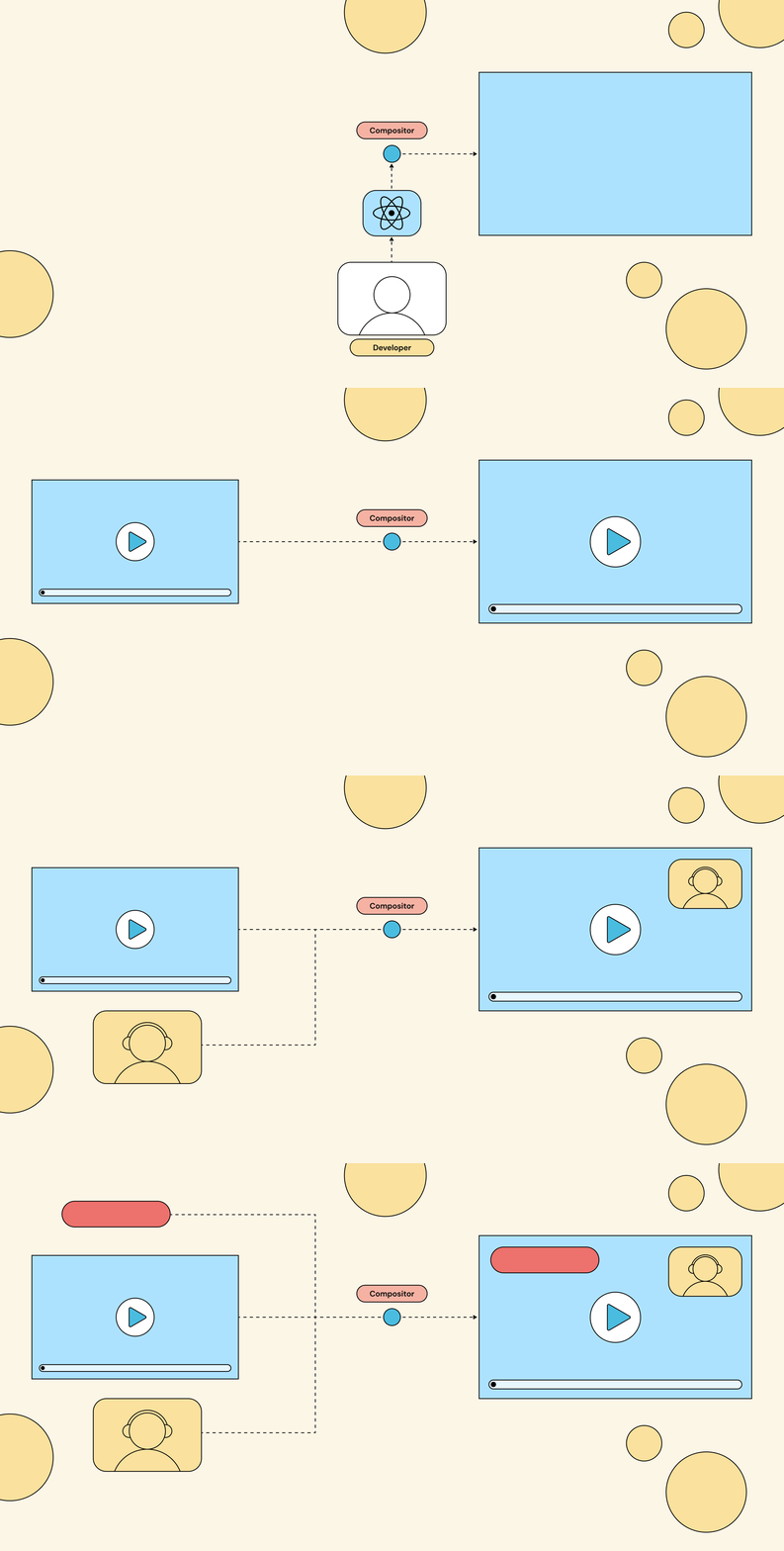
If you’ve never built a compositing engine, here’s the picture. You have multiple live video sources coming in: webcams, screen shares, RTMP feeds, prerecorded video files, or even static images, anything that produces frames over time. You want to combine them into a single output stream that viewers actually watch. That combining step is called video composition, and the service that does it is the compositor. The compositor sits between your inputs and your outputs.
 Live video sources flow into the compositor via an API; the compositor produces a single combined output stream for viewers.
A composition API is the contract that lets you tell the compositor what to do. Before arguing about what that contract should look like, it’s worth seeing what’s already out there.
What’s on the market
Programmable video composition is a niche corner of live streaming infrastructure, and the field of solutions reflects that. Most video streaming APIs don’t try to solve composition at all: they ingest a stream, transcode it, and push it out the other side.
The handful that do let you build compositions programmatically line up along two independent choices: pushing changes as they happen (imperative) versus describing the desired end state (declarative), and writing that in a bespoke language versus one you already know. Those two axes, plus the no-code baseline of prebuilt templates, cover just about everything out there.
Telling the compositor what you want
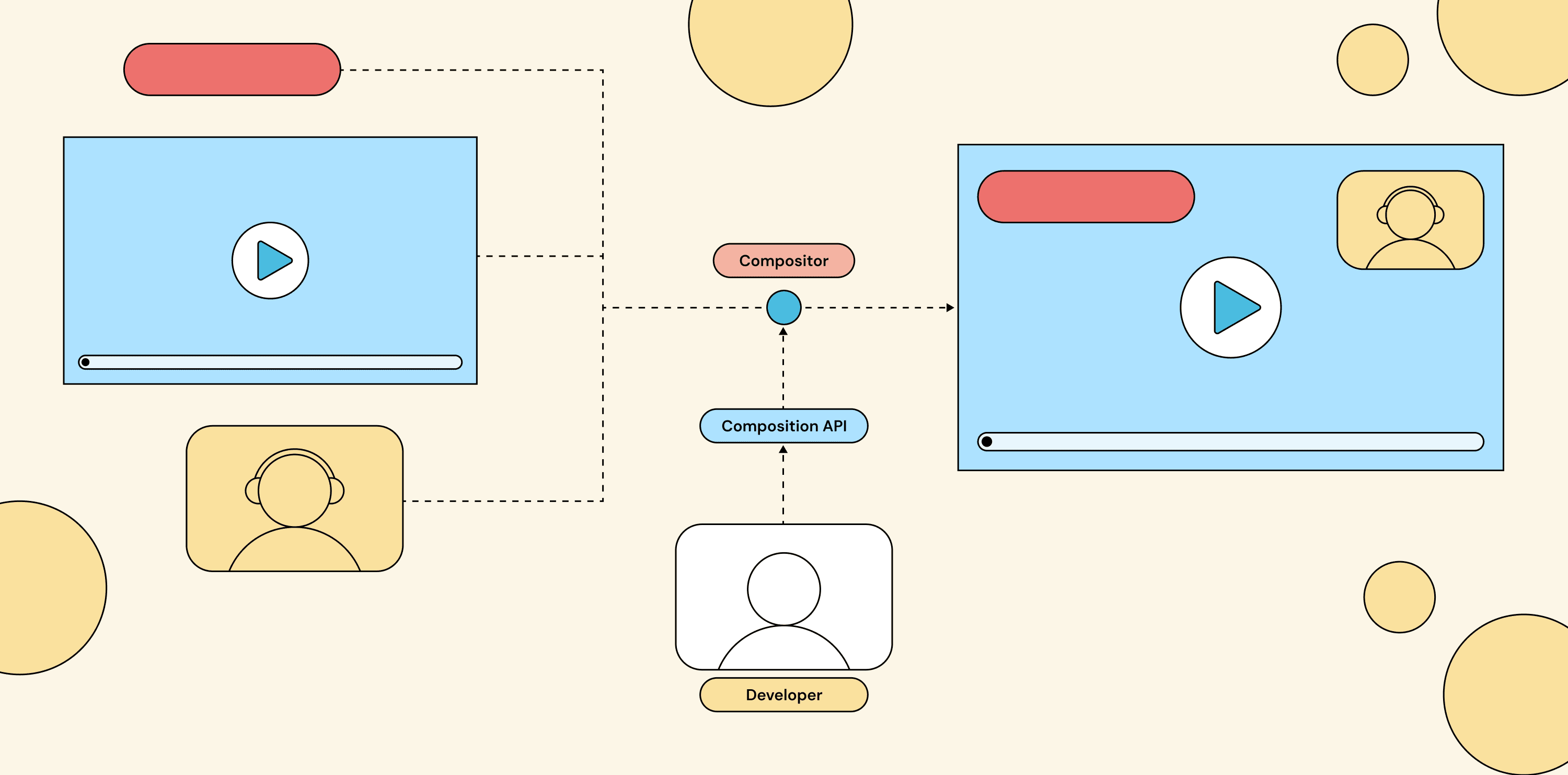 The composition API sits between your application code and the compositor itself.
Let’s walk through each approach, who’s using it, and where it leads.
Prebuilt template gallery
The simplest approach: the provider ships a fixed catalog of layouts (side-by-side, picture-in-picture, three-tile grid, presenter-with-slides) and you pick one when you create the stream. The compositor renders according to the chosen template, and that’s it.
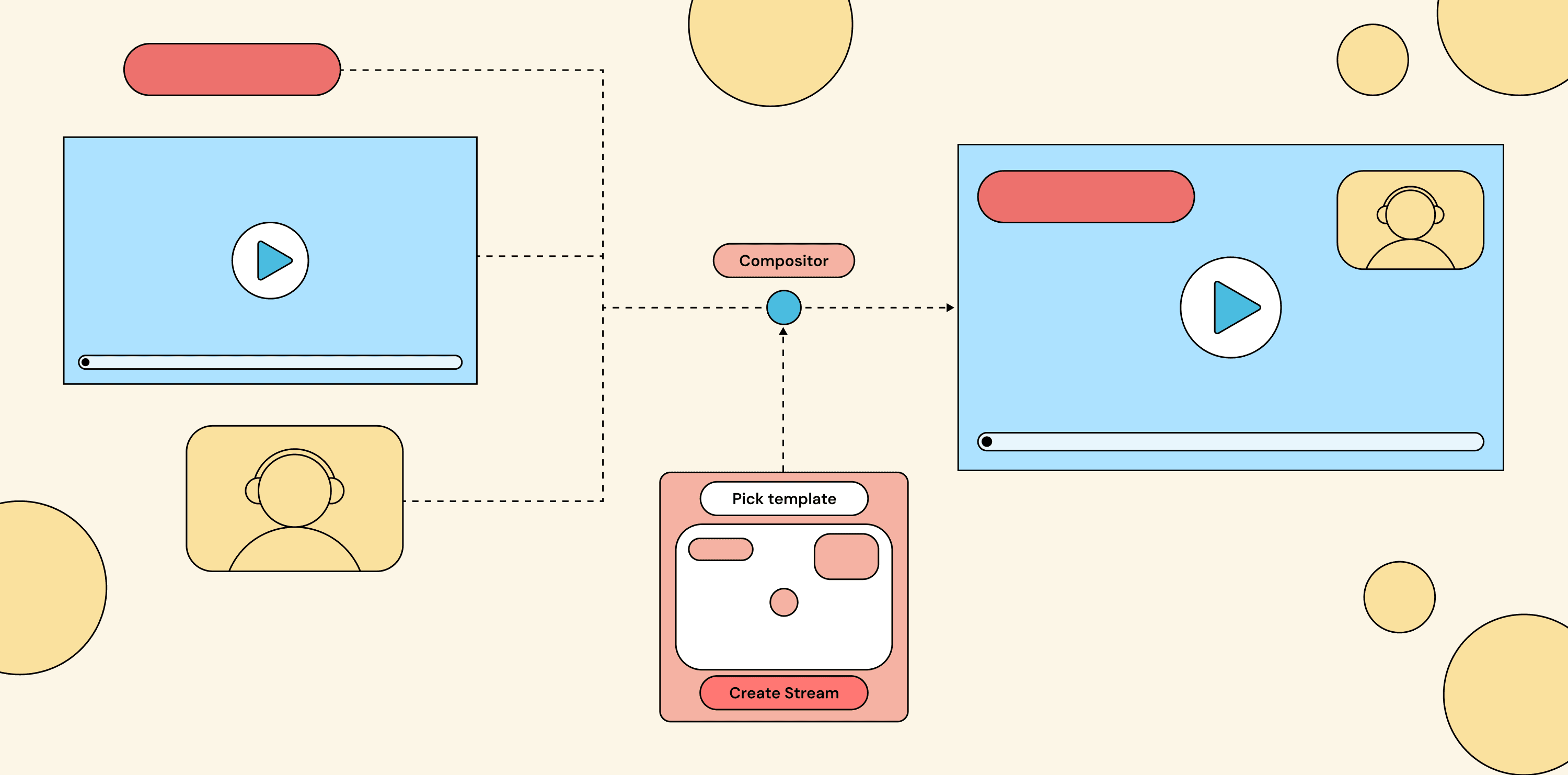 The provider offers a fixed set of layouts. You pick one at stream creation time; the compositor renders it.
This works for the cases the provider thought of. It falls apart the moment you need something they didn’t ship: a custom overlay, a sponsor-specific layout, a per-tier UI, or anything that needs to react to events in your product. Pure template galleries mostly show up as end-user tools like OBS, Restream Studio or StreamYard rather than developer APIs.
Imperative
You issue commands to the compositor over HTTP every time something changes. “Add stream X to position (100, 200).” “Move overlay Y to the top-right.” “Replace tile 3 with stream Z.” Your code holds the layout state and pushes updates down to the compositor whenever an event happens.
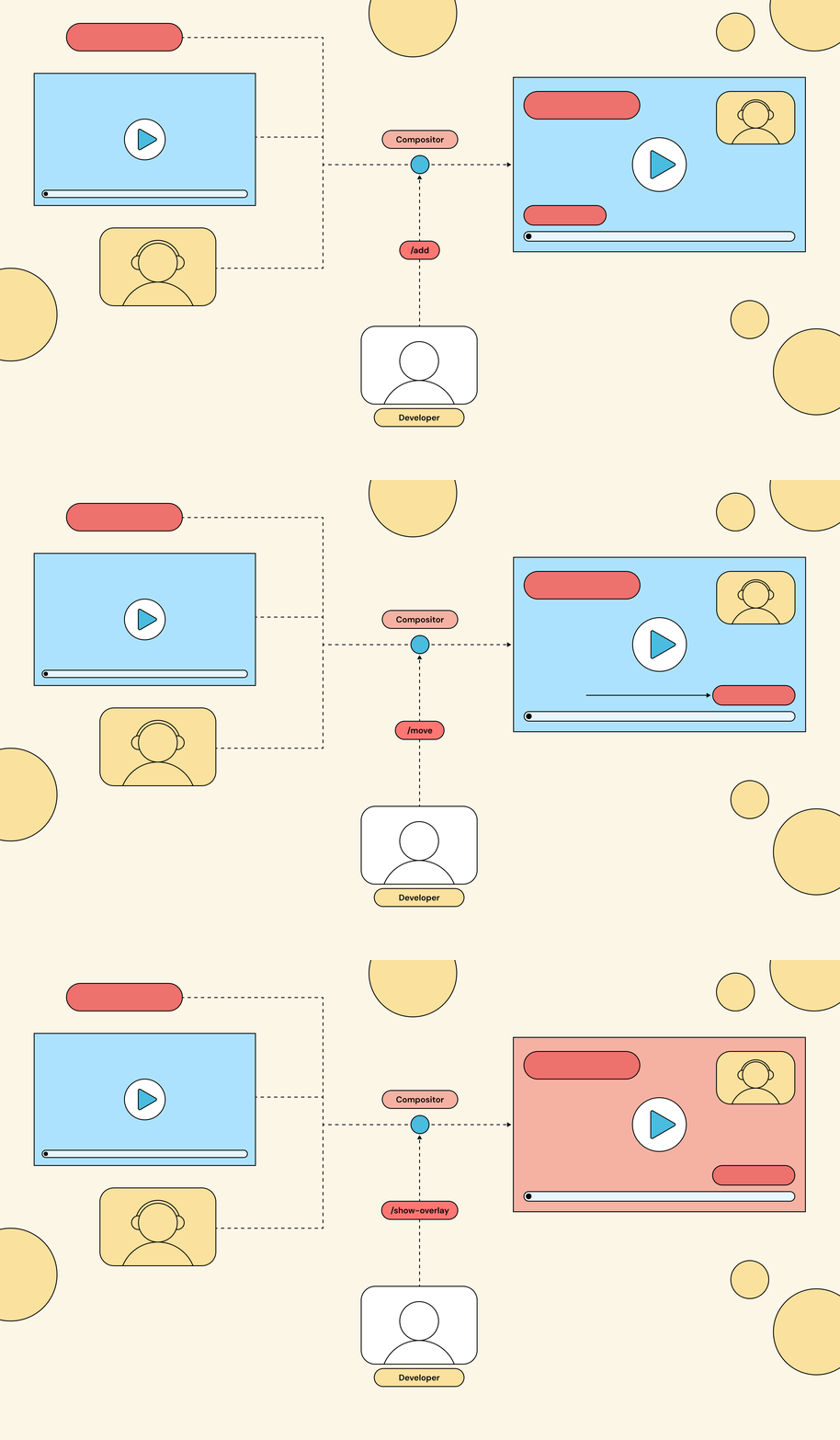 The client sends a stream of API commands to the compositor on every event. The compositor itself is stateless about what should be on screen; that knowledge lives in the client.
This is the model most live streaming products land on by default because it maps directly to “REST API for video.” It works fine for a static scene, but it has a quiet cost: you are now responsible for every state transition. New streamer joins? You compute the new tile grid and send the moves. Donation arrives? You issue the overlay-show command, schedule the overlay-hide command, and pray nothing reorders en route. Every event in your product becomes a sequence of API calls. Push this approach far enough and you’ve implemented a state machine and a diff algorithm on top of HTTP. That’s React, badly.
This is where most of the market sits. Twilio Video Compositions is the textbook example of a live video streaming API taking this approach, with AWS IVS, Vonage’s archive layouts, and the open-source BBC Brave following variations of the same model.
Declarative with a custom DSL
Another approach: write a declarative description of the layout instead of pushing imperative commands. The DSL says “given this state, the layout should look like this,” and the compositor figures out the updates itself.
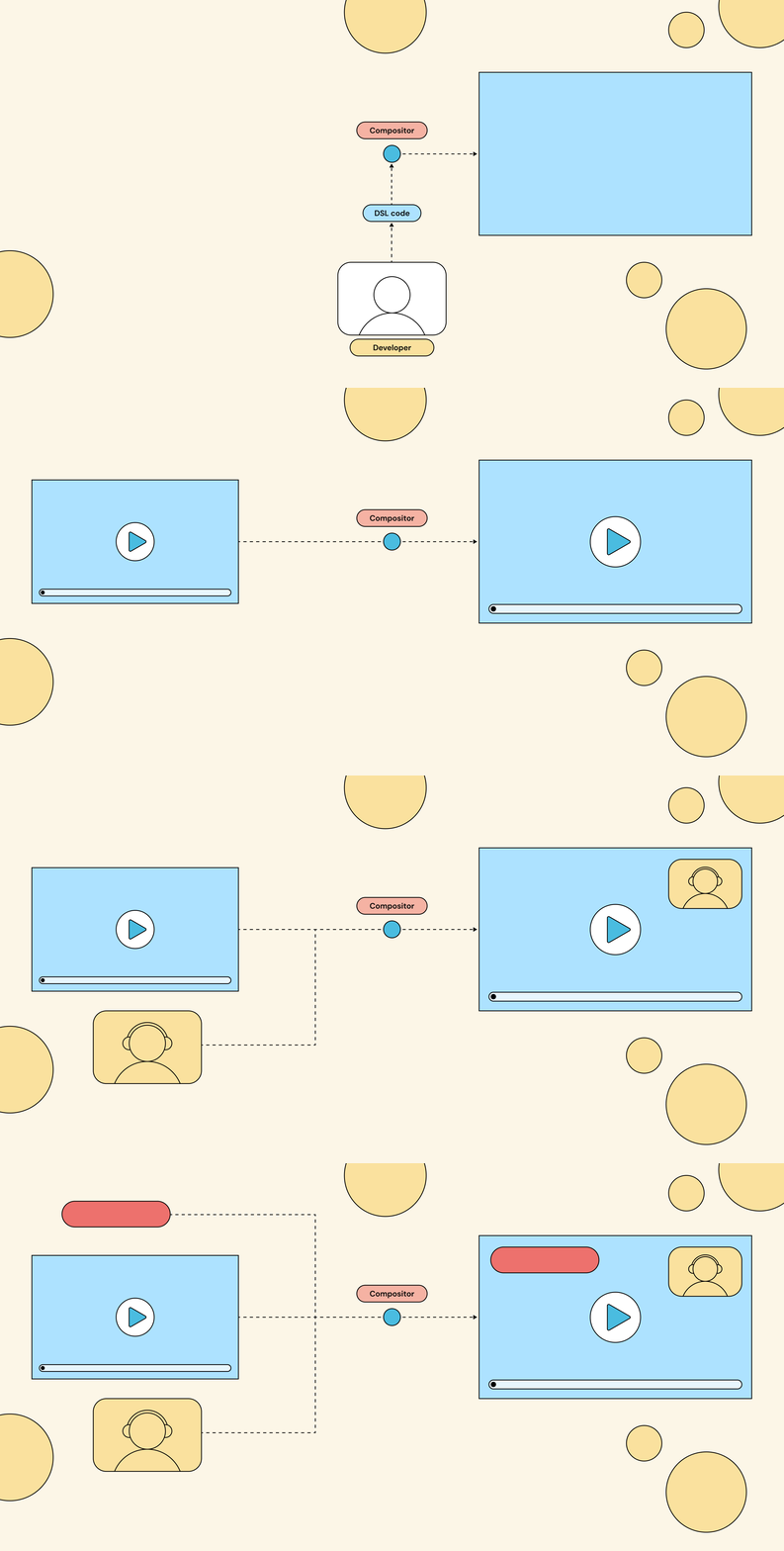 The compositor consumes a DSL describing the layout as a function of state. Declarative shape, but the language is proprietary to the platform.
The catch is that every product taking this approach invents its own DSL, so you end up learning (and debugging) a new language just to express layout logic you already know how to write. In practice this stays mostly conceptual: some legacy broadcast tools expose proprietary scripting, but no major modern product makes a DSL its primary interface.
Declarative with React
The ideal would be something that can express behavior, not just layout. It should track the state of your livestream (new users, new streams, new events) and re-renders the output accordingly. It should also use a model your team already knows, one with mature tooling and a footprint large enough that even LLMs write it fluently. A sane choice would be to reach for React.
 The compositor consumes a DSL describing the layout as a function of state. Declarative shape, but the language is proprietary to the platform.
The template lives on the compositor and re-renders whenever the state it depends on changes. No per-event API traffic for layout updates.
React fits because a video layout is a tree of components with state, animations and transitions using the same patterns you already apply in any React app, and the whole thing is just code you can diff and review.
It also helps that React is built to be retargeted. The react-reconciler package lets the component model drive outputs other than the browser DOM, which is how React Native works. Smelter’s renderer uses it to map your components onto the compositor’s scene graph, so you get the full React model pointed at video instead of a web page.
This is where the serious players have converged. Daily.co’s VCS and LiveKit Egress both run React in a headless Chromium instance on the server; Smelter compiles it to a native scene graph on the GPU instead. The React developer experience is similar across all three; the resource footprint and latency profile underneath are not.
To make it concrete, here’s a small Smelter composition: input1 fills the frame, and input2 sits in a smaller window that slides across after a two-second pause.
function App() {
  const [beforeTransition, setBeforeTransition] = useState(true);

  useEffect(() => {
    setTimeout(() => setBeforeTransition(false), 2000);
  }, []);

  return (
    <View>
      <InputStream inputId="input1" />
      <Rescaler
        width={480}
        height={270}
        top={0}
        left={beforeTransition ? 0 : 1440}
        transition={{ durationMs: 2000 }}
      >
        <InputStream inputId="input2" />
      </Rescaler>
    </View>
  );
}
Running live:
 After a two-second pause, input2 slides from the left to the right edge of the frame. The transition is declarative: just a transition prop on <Rescaler>.
Conclusion
After working through these approaches ourselves, we ended up shipping both the imperative and the declarative React path on the Smelter cloud we’re building at Fishjam. Each one fits a different shape of product, and we’d rather let you pick than pick for you.
If you need video compositing at scale and don’t want to set up the infrastructure yourself, sign up for early access to the managed cloud we’re building on top of Smelter. If you’d rather self-host, Smelter is open source and ready to run.


